For Restaurants
Turn surplus food into a good cause
Give surplus food to verified non-profits nearby, and get audit-ready records for every donation — the documentation your accountant needs at tax time, without the paperwork.
Unsold food is money you already spent, thrown away.
Every night, prepped trays, unsold specials, and overstock get tossed — not because chefs want to waste it, but because giving it away has always meant more paperwork than binning it. GoodMarkets gives that food a second path: donate it to a non-profit nearby, and keep a record that supports a charitable deduction at tax time.
How GoodMarkets helps
Claim the deduction
Give surplus to a verified 501(c)(3) and keep the documentation that supports a charitable deduction at tax time.
Reach non-profits nearby
Your surplus appears in front of verified non-profits in your area — no outreach or ad spend required.
Waste less
Food that would have been thrown out at close goes to someone who needs it instead.
Automate operations
Connect Square to sync your catalog and inventory, or list manually. Track donations, pickups, and records in one dashboard.
How it works
From listing to documentation — the whole loop, built for a busy close.
List surplus
Choose the item, the quantity, and the pickup window.
A non-profit claims it
Verified 501(c)(3)s nearby see the listing and reserve a pickup.
Hand it off
They arrive inside your window and confirm the pickup.
The record writes itself
Item, value, time and recipient captured automatically — nothing to fill in.
Documentation at tax time
The recipient's written acknowledgment and your annual giving report, ready to hand your accountant.
Sell instead, if you prefer
Pro can list surplus at a discount for paid pickup rather than donating it.
See GoodMarkets in action
Real screens from the product — create a deal, customers reserve it, and you track everything from your dashboard.
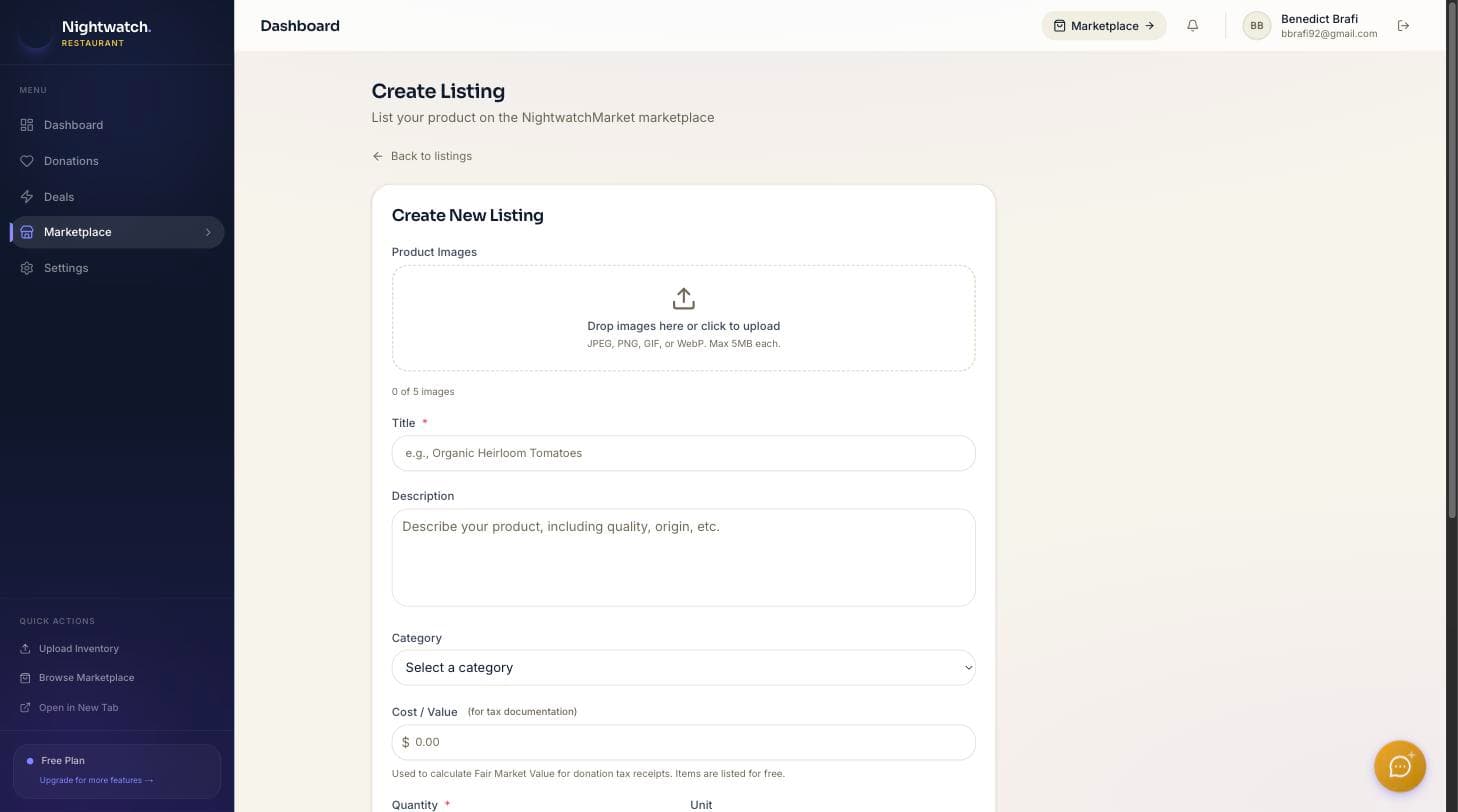
1. Create a deal
List an item with its quantity and pickup window.
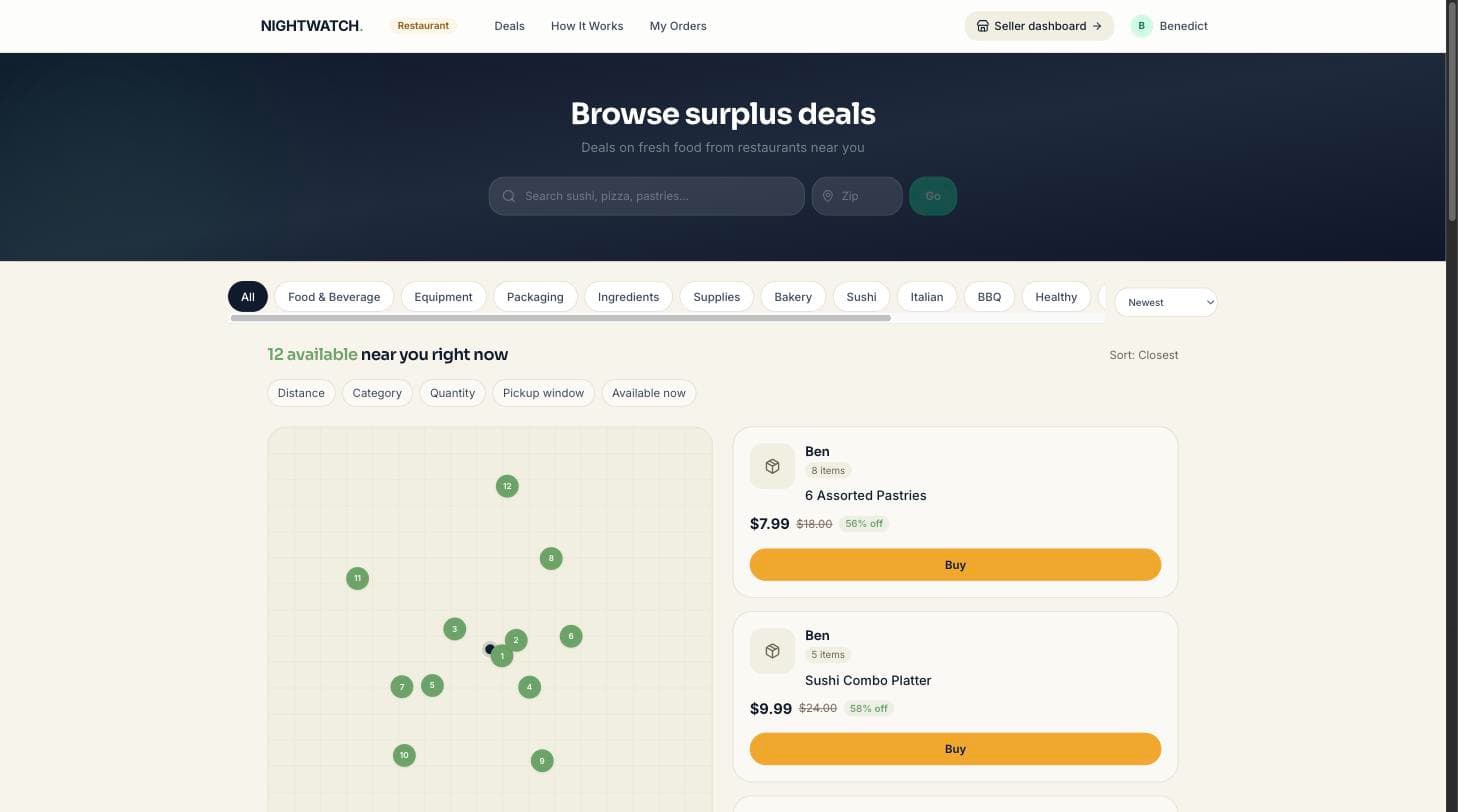
2. Customers reserve it
Verified non-profits nearby see the listing and reserve a pickup.
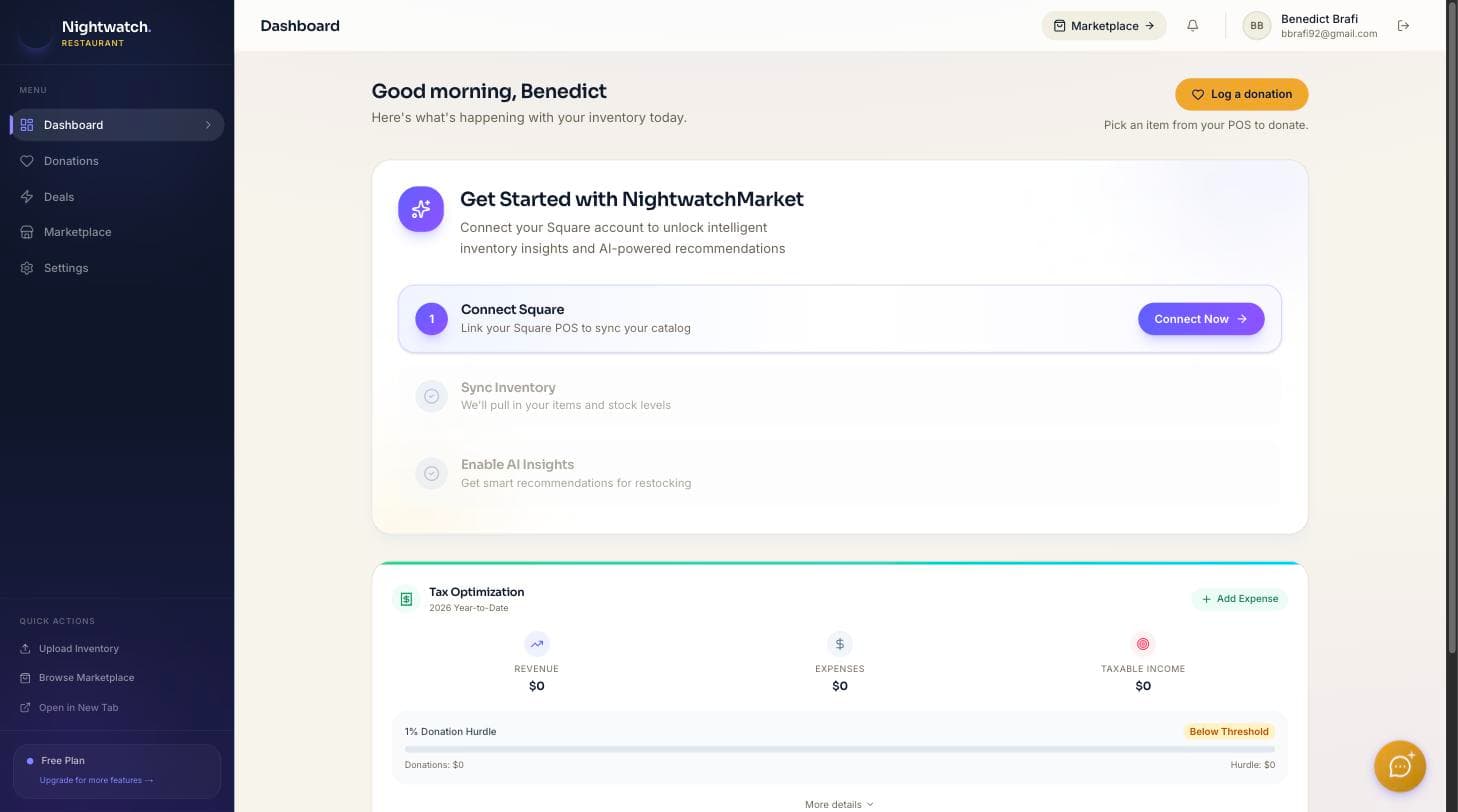
3. Track it all
Reservations, revenue, and donation records in one dashboard.
What happens in your first 5 minutes
- 1. Create your restaurant profile
- 2. Add your location and business info
- 3. Connect Square — or skip it and list manually
- 4. Create your first surplus deal
- 5. Choose your pickup window
- 6. Publish — and track reservations from your dashboard
No POS integration required to start.
Simple, transparent pricing
$30 per month
or $320 a year — save $40
- Unlimited donation listings
- Audit-ready donation records
- Automatic fair-market-value capture
- Annual giving report included
- Square POS sync
Donating is free — no setup fee, no monthly fee, no contract.
Multiple locations? Contact us.
Example only
You donate 10 surplus meals that normally sell for $15 each, twice a week, for a year:
- Meals donated
- 1,040
- Documented fair market value
- $15,600.00
- Cost of GoodMarkets Pro
- $320.00
Illustrative only. Every donation is captured with an itemised value, a time stamp and the receiving organisation, then rolled into your annual giving report. Donation value figures are estimates for your records — GoodMarkets does not provide tax or legal advice, so confirm deductibility with your tax advisor.
Selling surplus (optional)
Customer pays upfront
Payment is captured securely when the customer reserves — no chasing anyone down.
Held until pickup
Funds are held securely, then released to your Stripe account after the pickup is confirmed.
Paid out to you
Sales are a Pro option, not the default — most surplus here is donated. Cancellations refund the customer and restock automatically.
You'll connect a Stripe account during setup to receive payouts. Payout settlement follows Stripe's standard schedule.
Sell it, or donate it — your choice
Sell surplus
Optional on Pro: list discounted food for pickup, setting your own price and window. Most surplus on GoodMarkets is donated.
Donate surplus
Offer eligible food to a nearby verified 501(c)(3). GoodMarkets generates the donation record and an estimated value for your files.
Donations are optional. GoodMarkets provides donation records and supporting documentation — it does not provide tax advice. Consult your tax advisor regarding deductibility.
Built to be low-risk for your restaurant
Secure payments
Processed by Stripe. We never store card or bank details.
No contract
Free to start, cancel anytime. Only pay when you make a sale.
Your data stays yours
Your listings and records are yours to export or delete.
Restaurant FAQ
Turn tonight's surplus into a good cause.
Free to donate. List your first surplus item today.
Already have an account? Sign in